Dear client,
For us to remotely support our clients as quickly and efficiently as possible, we require them to download TeamViewer Quick Support on their workstation.
Please click here to download.
Once you've downloaded the executable, you can run it by double clicking on it in your Downloads.
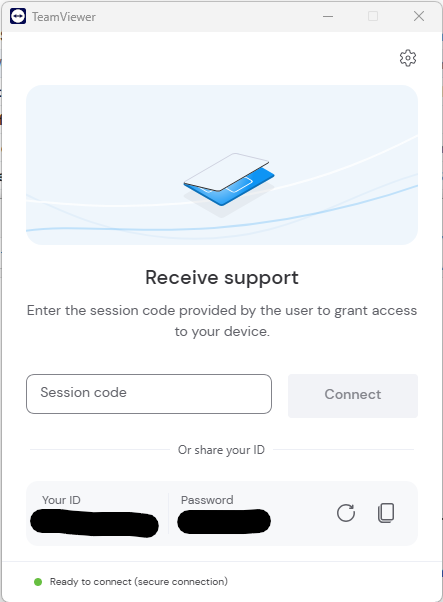
The TeamViewer window should pop up with an ID and Password which you'll provide to us to connect to your workstation remotely.
Should you get the notification below when running the executable,

you should click OK and do the following:
On your Windows taskbar, to the left of the date & time, open up the system tray, right click on the TeamViewer icon and
click on Exit TeamViewer

When asked if you're sure you want to exit TeamViewer, click on Exit

Rerun the downloaded executable and provide us with your TeamViewer ID and password so we can assist you with your query.